
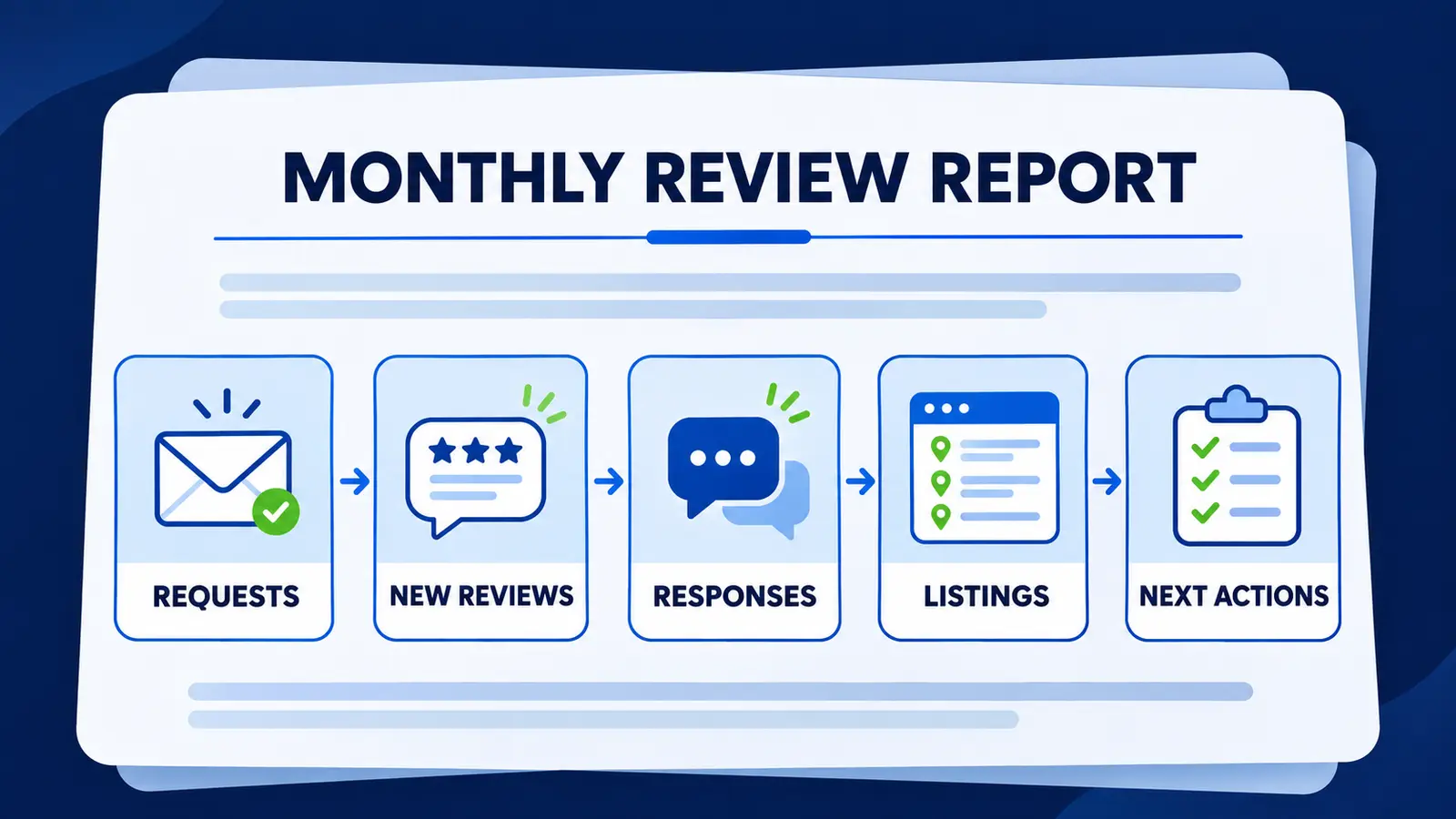
A useful monthly review management report separates work completed, public changes, unresolved concerns and next actions. It should show request activity, new reviews, response status, listing corrections, access issues and clearly defined outcome measures without treating clicks or activity as proven revenue.
A monthly review management report should tell an owner what work was completed, what changed publicly, what still needs attention and who owns the next action. It should include review requests, new reviews, response status, listing corrections, access issues and defined customer actions. It should not present activity, clicks or review volume as proof of revenue.
Start with the decision the report needs to support
The purpose is not to fill a dashboard. It is to help an owner decide what should continue, what needs approval and where the process is breaking down. A clear report answers four questions in the same order every month.
- What work was completed during the reporting period?
- What public information or review activity changed?
- Which items remain unresolved, sensitive or blocked?
- Who is responsible for the next action, and by what date?
Use one reporting period and name every covered location and profile. If several locations are combined, include a location level view as well. Otherwise a strong location can conceal a process problem at another one.
Report review requests and delivery issues
Begin with the request workflow. Record how many genuine feedback requests were sent, which approved channels were used and how many messages could not be delivered. If the business uses more than one system, identify the source so duplicate requests can be investigated.
- Requests sent during the period
- Delivery failures or missing contact permissions
- Duplicate or suppressed requests that need investigation
- The locations, teams or completed services covered
- Any approved wording or timing change
This section measures whether the agreed process ran. It does not measure customer satisfaction on its own. A request count is also not evidence that a person read the message, visited a profile or became a customer.
Separate new reviews from response coverage
Show new reviews by profile and location, then show the response status. Google explains that verified businesses can reply to reviews and that replies are public after review. Google also provides a review request link or QR code. A report should therefore distinguish requests, reviews received, replies prepared, replies published and replies still awaiting approval. See Google's current review guidance for the platform process.
- New reviews received, grouped by location and profile
- Routine replies published
- Replies awaiting business approval
- Sensitive reviews routed to the designated reviewer
- Reviews reported for a possible policy issue, with current status
Do not use a public reply to discuss private customer, patient, legal or account details. Medical, legal, disputed and otherwise sensitive complaints should remain with the business's designated reviewer. The monthly report can record the routing and status without copying confidential facts into the report.
Track listing corrections and account control
Review work often exposes a listing problem. Record each requested correction, the source, the approved fact, the submission date and whether the change is confirmed publicly. Keep access issues separate from data corrections. A wrong business hour and a missing owner role require different actions.
For a practical permissions checklist, use our Google Business Profile ownership guide. It helps the business retain control while an agency or team member handles routine work.
Define every performance measure before showing it
Google Business Profile performance can include views, searches and customer actions such as calls, directions, website clicks and bookings when the relevant feature or provider is available. Google notes that only applicable metrics appear and explains how profile views are counted. Use Google's performance documentation to label the measure accurately.
A website click is not a completed inquiry. A call action is not necessarily a connected or qualified conversation. A booking count may depend on a supported booking provider, and it is not proof of attendance or revenue. If the business can verify later steps through its own systems, report those steps separately with the source and definition.
Use an annotated sample report
The example below is fictional and illustrates structure only. It is not a client result, forecast or benchmark.
- Scope: Gilbert location, October reporting period, Google Business Profile and the approved request system.
- Requests: 42 sent and 3 delivery issues. Confirm whether those contacts were eligible for another attempt before taking action.
- New reviews: 6 received. Report the profile and date, without claiming the requests caused every review.
- Responses: 5 routine replies published and 1 sensitive concern awaiting the designated reviewer.
- Listings: 2 corrections submitted. One is confirmed public and one remains pending.
- Observed actions: Website clicks and direction requests shown with the platform definition. No revenue conclusion is attached.
- Next actions: Practice manager to approve the sensitive response by November 12. Listing owner to recheck the pending correction on November 15.
The numbers are intentionally simple. What makes the example useful is the distinction among completed work, observed public changes, unresolved items and dated next actions.
Give every open item an owner and a date
An unresolved issue without an owner will usually return in the next report unchanged. Assign the business owner, location lead, designated reviewer or service provider to each action. Add the next review date, especially when the outcome depends on a platform decision.
Keep policy reports and ordinary negative sentiment separate. A critical review is not automatically eligible for removal. Record the policy basis used for a report, the evidence retained and the platform status without promising a decision.
End with one recommended decision
Close the report with a short recommendation: keep the workflow, correct a process gap, secure account access, change an approval rule or investigate a recurring theme. The recommendation should follow from the documented work, not from a vanity score.
Reputation Repair's Reviews and Listings service includes listing accuracy checks, genuine feedback requests, review monitoring, up to ten routine responses per location each month and a monthly workflow check. The standard price is $499 per location each month, plus a one time setup fee of $499 per location. Sensitive items remain with the designated reviewer. The dental review operations toolkit provides a practical worksheet that other location based teams can adapt to assign responsibilities and record the next action.
Common questions
Should a monthly report include star rating changes?
It may include the current rating and review count when the source and observation date are stated. Treat the figure as a public observation, not as proof of service quality, revenue or a completed customer outcome.
Should every location use the same report?
Use the same core definitions so locations can be reviewed consistently, then add location specific access, approval and listing issues. Keep location detail visible rather than relying only on a combined total.
What should remain private?
Do not copy customer, patient, legal, account or other sensitive details into a routine report. Record the issue category, responsible reviewer and status, then use the business's approved secure process for the underlying facts.